Quote of the Month

When love and skill work together, expect a miracle. John Ruskin


Showing posts with label literacy. Show all posts

Thursday, May 3, 2012

Try Curiosity

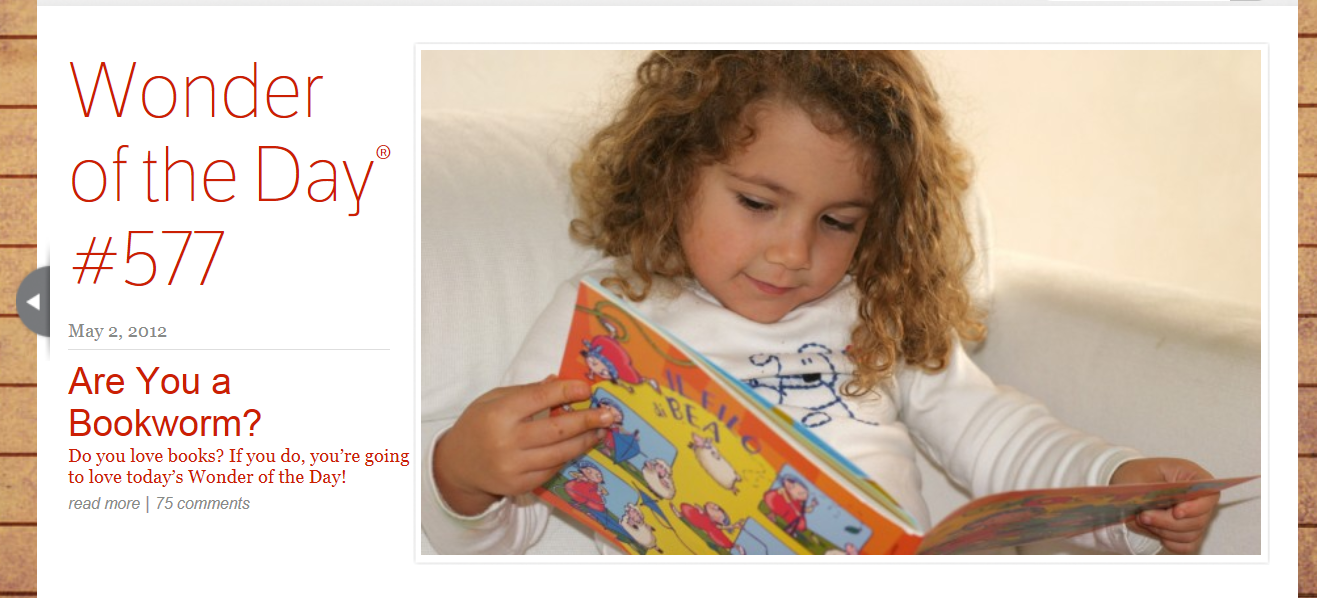
The 50 Best Websites of 2011 by TIME magazine included a site launched in 2010 by the National Center for Family Literacy.  Chief financial support for Wonderopolis comes from the Verizon Foundation making Wonderopolis a member of the Verizon Thinkfinity group.  Inspirational code words at the site include:  create, laugh, imagine, explore, learn, smile and grow.

Did you ever wonder why dogs chase their tails, if woodchucks really chuck wood or how much rain can a cloud hold?  Those questions and 577 (and counting) others are answered daily through the Wonder of the Day.  Each Wonder of the Day is designed to educate but with a high fun factor.

Click on the question to be taken to another screen which addresses the answer in many different ways.  Each page begins with a pertinent video.  This is followed by other related questions (Have you ever wondered...), a descriptive narrative (Did you know?), additional activities (Try it out!), a list of corresponding terms (Wonder words to know and use), more fun things to do (Still wondering?) and a hint of the next Wonder of the Day (Wonder what's next?).

At the bottom of each Wonder viewers can post a rating and comment.  Wonders can be shared on Twitter, Digg, Delicious, StumbleUpon, Thinkfinity Community, Facebook or via email.  A print option is available also.

Users can enter in keywords, tags, to locate questions or toggle through previous postings by clicking on the arrows. Trust me when I say you could be here for hours. 

 One unique feature is a Wonder can be nominated by completing an online form. 

A Wonderopolis app is now accessible for iPhone and iPad as well as Android users. 

The Wonderopolis team offers a widget by easily embedding HTML code into a website or blog that is updated daily with a new Wonder of the Day.

Who doesn't want to make learning fun?  Wonderopolis does but offers other possibilities.  Wouldn't it be great to generate a list of questions?  Students could check the site to see if they have been answered which teaches thinking of keywords and keyword searching.

Show students the form for submitting a Wonder.  Searching could be done for videos or images that match any given question.  Students would need to formulate a reason for wanting a question to be considered as a Wonder of the Day.

To be sure Wonderopolis is instructional but it's so entertaining you won't be able to resist repeat visits.

Thursday, March 8, 2012

Literacy Lure-Comics

Making the 2010 Top 25 Websites for Teaching and Learning by the AASL, American Association of School Librarians, under the Media Sharing heading, Standards for the 21st-Century Learner, 2.1.4 Use technology and other information tools to organize and display knowledge and understanding in ways that others can view, use and assess, 3.3.4 Create products that apply to authentic, real-world context and 4.1.8 Use creative and artistic formats to express personal learning, is a web 2.0 application titled Professor Garfield which I initially found through the TOON Books Website.

Upon following the link users will immediately be able to view a video explaining the site, its value to promoting literacy.  From that screen click the button TOONS BOOKS WEBSITE.  (Two other button options are:  BENNY & PENNY BLOG and TOON BOOKS BLOG.)  The next page is full of options and opportunities.

From the About tab is an article explaining, even further than the introductory video, the methods and purpose of TOON Books. Here is a small excerpt:

TOON Books are the first high-quality comics designed for children ages four and up. Each book in the collection is just right for reading to the youngest child but perhaps more remarkable: this is the first collection ever designed to offer newly-emerging readers comics they can read themselves. Each TOON book has been vetted by educators to ensure that the language and the narratives will nurture young minds. Our books feature original stories and characters created by veteran children’s book authors, renowned cartoonists and new talents, all applying their extraordinary skills to fascinate young children with clearly told tales that will welcome them to the magic of reading.

From the first publication date in early 2008 up to 2012, these books have garnered the highest praise.  Of the seventeen titles, two of which are new, eight have found their way to our shelves; that is when they are not checked out.  They have been written and illustrated by some of the best in the field. Our goal through grant writing is to have at least three of each by the year end.

The TOON Books at the home page are divided into three groups:  Level One, Grades K-1, First Comics for Brand-New Readers, Level Two, Grades 1-2, Easy-To-Read Comics for Emerging Readers and Level Three, Grades 2-3, Chapter-Book Comics for Advanced Beginners.  For each of the levels beneath all the book covers on display (clicking on a cover gives more in depth information about the title) lexile, guided reading and reading recovery values are shown with specifics listed about content in the comics.

By selecting the button in the center of the home page header, TOON IN THE CLASSROOM, users can access the following:  Free Teachers' Resources, Free TOON Online Readers, Free CarTOON Maker, Readers Theater, Reading lists and More Free Classroom Tools.


Included in the Free Teachers' Resources are PDF files for each of the titles.

Eleven of the titles are part of the Free TOON Online Reader section.  Each reader shows the book in its entirety with the user clicking to turn the pages.  For each of them there is an option for the author/illustrator to read the words aloud.  As the words are read the text is circled. 

The Free CarTOON Make allows users to make a three-panel comic strip or design their own comic from the TOON Book characters.

Nine of the titles are part of the option of designing a comic from one of the TOON Book characters.  Users can add characters, speech bubbles, text, and backgrounds.  The objects can be flipped or sized.  Anything added can be deleted.  To erase the screen simply click Start Over.  A completed TOON can be emailed, saved to your computer or printed.

As you can see by the top of the screen on the second image inset (the first is my goofy cartoon from the TOON Book, Luke on the Loose) the Professor Garfield application has numerous other choices Comics Lab, Reading Ring, Art-Bot, Music Bot, Transport, G-Cubed, Comics Lab Extreme, Sparktop.org, KB Kids, Sleep Center and Brain Busters.  Anyone (believe me I should know) could spend hours here learning and expanding their creativity.

Currently the Readers Theater hosts Luke on the LooseReadings lists and More Free Classroom Tools provide loads of extras; guides, lessons and strategies. 

Underneath the TOON IN THE CLASSROOM button is FUN FOR KIDS!  Links to accessing the Cartoon Maker, Kids' Cartoon Gallery, Popsicle Puppets and Cartoon Lessons is here as well as a connection to the TOON Book Reader (in English, French, Spanish, Russian and Chinese.)

Students can not only enjoy reading the TOON Book titles but expand their experience at this site using top-notch applications.  My students love using this site; who wouldn't?

Tuesday, March 6, 2012

It All Begins With...ABC

After recommendations by two tech people whose opinions I respect, Richard Byrne of Free Technology for Teachers and our own head tech, Scott Mays, at Charlevoix Public Schools, I decided it was time to move this up to the top of my "to explore" list and make a visit to Alphabetimals.  This site which is free to use was designed by freelance cartoon illustrator Patrick O'Toole and his wife, a psychologist, to promote literacy.  For students, teachers and parents this is loaded with activities and resources.

When visiting the site the first activity, front and center, is a book where each of the letters in the alphabet are introduced.  As the pages turn the sound icon at the top produces the sound of the "letter animal" as the letters to the left move.  On the bottom that icon is a pronunciation of the animal's name.  Of course, not being able to resist I clicked on every single letter.

Beneath this activity users are invited to type in an entire word in a box.  I typed in the word "BOOK".  I expected with the double "O" to have the same "letter animal" used twice but a different animal was shown for the second "O".  Users then have the option to preview it on fun gifts, share it on Facebook, Twitter or via email or print it out. 

Free cut-out flash cards, coloring pages and a wall poster are available by going to their Facebook page.  I did go to their page and Like them.  To get the PDFs of the cards, coloring pages and poster the next screen states:  Secure browsing is not supported (https).  I decided not to proceed as I wish to protect the information contained in my Facebook profile.  Hopefully these will be available to download securely on site soon.  The Facebook page did state that they hope to have a coloring book for sale soon as well as an app for a mobile device. 

I can see using this application for activities beyond the initial introduction to the ABCs and the pronunciation of the words.  Some of the animals might not be familiar to the students so basic research would be the next step.  Links to such sites including the animals, National Geographic Kids, Kids Biology.Com, or Kids' Planet ESPECIES Animals Facts Sheets,  could be placed in the same folder as the link to Alphabetimals.  Older students could assist with the reading of information.

I recommend using this site not only for the obvious reasons but for its potential for exploration.

Tuesday, November 22, 2011

Grrrrrrrr...Learning To Read With The Bear

In a November 3, 2011 post, I Like "Reading Bear" Larry Ferlazzo of Larry Ferlazzo's Websites of the Day talked about a relatively new site that teaches reading through the use of phonics.  At the site introduction this is what the originators have to say:

Reading Bear, a project of WatchKnowLearn.org, is the first free program online to teach beginning readers vocabulary and concepts while systematically introducing all the main phonetic patterns of written English, all using innovative rich media. We have launched with 14 presentations and plan to increase the number to about 50. In the end, well over 1,200 items of vocabulary will be given the Reading Bear treatment.

I began exploring the site by clicking on the large orange Getting Started button.  At the next page users are greeted with the following video:


Beneath the video are informative categories as follows: 
General Information about Reading Bear, How to Get the Most from Reading Bear, The Reading Bear Software, Videos of the Presentations and The Interludes.

Each of the seven presentation modes for the phonic being taught run about fifteen minutes in length. 
It is recommended that the first three be done in order using the last four as methods of practice and review.  After a presentation there is an option of taking a quiz.  After viewing five presentations grouped together there is additional review which changes each time selected.

Sound It Out Slowly goes like this:
Parts of each word are sounded out at two different speeds enabling the user to adjust and become familiar with those sounds.  As the letters or combinations of letters are read they are highlighted, read as a whole, the user is invited to say the word, it is read again and illustrated with a picture and lastly it is used in a sentence.  The sentence will be repeated as a whole, each word being underlined as it is read, read with an illustration and the single word is read aloud again.  If you wish to hear the pronunciation of any word in the sentence, just select it.

When navigating during a presentation use the keys shown at the bottom left.  Individual presentations by default are shown as a video but by clicking on the auto button in the lower right it becomes a slide show using the navigation keys to move in the desired direction.  The HD button is also on by default.  If the presentation is loading slowly, turn this off.


At the top of the viewing screen is a series of As increasing in size.  This allows for the presentation to enlarge or become smaller.  By clicking on the gear icon settings such as always show video of word spoken, always use the same font and color, pause and ask me to say the words, show in random order and enable interludes can be used or not.

Interludes are videos, usually grouped by six, of music and some of the best Western art.  Rest assured that the paintings are "kid-friendly" except for the Michelangelo Creation of Adam.  These are placed between presentations with the intent of refreshing the user's attention.  Their length is about fifteen seconds.

This site is free but there are perks to registering.  For registration enter in an email address, password and password hint.  When your registration confirmation is received you can keep track of content viewed, presentations mastered and quiz results.

Larry Sanger, co-founder and the original organizer of Wikipedia, imagined this site, created the software and gathered most of the content.  He is currently Editor-in-Chief of Reading Bear.

Credit goes to Shutterstock.com for images and many of the videos at Reading Bear.

Did you hear that clanking click?  That would be me adding Reading Bear into my virtual toolbox to use with my students.

Tuesday, October 18, 2011

What Was That About A Picture And A Thousand Words? How About Just One Word?

On September 22, 2011, Kelly Tenkely blogger at iLearn Technology posted about a truly inspirational web site that makes learning new words completely enjoyable.  This site, InsideStory Flash Cards, was started and is hosted by a mother/daughter team, Shauna Simon and Kande Underwood of Washington.

At the site, InsideStory Flash Cards, it states: 

Our stories are unforgettable—and that's how they make words stick. Each "story" provides a clear context for the featured vocabulary word, so readers easily understand how the word is used. The vocabulary is closely associated with the memorable details, making learning words almost as easy as laughing at a funny caption, reading about an unusual animal, or getting the scoop on a cool city.

It boggles the mind how this team could search and find the ultimate, unique picture to define and compliment the individual words so perfectly.  So well depicted are the words by the images that visual learners will feel like the proverbial kid in a candy shop.

When users select Free Printable Flash Cards, the screen to the right fills their vision.  Four tabs to the right suggest the levels of difficulty:  Basic (206) English Vocabulary, Kids and ESL, Easy (315) Vocabulary Builder, Kids' Printables, Medium (330) SAT Vocabulary, Common SAT Words, and Hard (60) Big Words, GRE & Beyond. (Numbers in parentheses indicate the number of words within each category.)

For many of the words users can listen to the pronunciation by clicking on the audio icon located next to the spelling and part of speech given for each word.  There is also an option to hide the definition of the word if one wishes to test their knowledge.

At the bottom of the column on the right side of the page is the choice to print the flash cards in the group.  When selected a new page appears showing all the flash cards giving the user the opportunity to select individual cards or print the entire category.

Boxed sets of sixty, four by two and one half, cards can be purchased through the site's online store.  The set categories are cats and dogs, animals and Seattle.  They sell for $14.95.

This is another gem to be placed in an educator's treasure box of tools for the classroom.

Friday, September 30, 2011

Literacyhead Revisited---Great Links

On Monday of this week I posted about a fantastic site that combines the best in reading and writing practices with art and children's literature, Literacyhead.com.  This online magazine is a treasure waiting to be discovered and used with our children in the classroom. 

I liked their page on Facebook and have been getting additional suggestions to use in the classroom.
This is just one of the great links that they posted this week, Kidszone, Learning with NCES, National Central for Education Statistics, Create a Graph. 

At Create a Graph there are five different styles of graphs from which to choose, Bar, Line, Area, Pie and XY.  When a selection is made the tabs are Design, Data, Labels, Preview and Print/Save.  For graph novices there is a tutorial in PDF format for viewing or printing. 

Go, go graphs!

Monday, September 26, 2011

Get Ahead With Reading and Writing at Literacyhead.com

On July 27, 2011 I read a blog post at Seven Impossible Things Before Breakfast by Julie Danielson titled Seven Crazy Realities Everyone Should Know about Literacyhead.comThat post was just the invitation I needed to explore the site and what it offers to those of us that are completely and totally immersed in the world of words, language, books, and reading and committed to bringing the joy that we have for those powerful treasures to the children that we teach.

The home page itself at Literacyhead.com is a visual feast for the soul but it does not stop there.  The team behind the development of this site is committed to combining the teaching of reading and writing with the visual arts.  They love children's literature and expose its hold and lure on our minds whenever possible to enhance literacy. 

Across the top of the page, tabs call for exploration which I did for most of Sunday afternoon and early evening.  In fact, as I type here, it's all I can do to not babble incoherently about the depth and breadth of all the fantastic, stupendous resources at this site.  It's not just a visual feast; its an educator's literacy dream banquet.

The Features tab alone can keep one occupied for hours.  The sixteen features shown on this visual cut cover:  thirty-seven children's books with read aloud discussion lessons, multiple graphic organizers in thirty-seven categories, an amazing alphabetical visual vocabulary, a thirty-four themed writer's workshop, images to teach the use of high frequency words, visuals used to get writer's imaginations clicking, letters and their sounds, comprehension four by four (four images with a common theme and four text images from children's books, using visuals to practice for standardized tests, a series of essays, reviews and interviews to get those creative juices flowing, thirty-three themes containing ten titles reviewed to spark your interest, inspiration for literacy coaches, Pen & Ink comic strips to instruct in a variety of reading and writing concepts, graphics that promote and prompt literacy, twenty-two themed lists of web sites, and for the sheer joy of it---artwork of ten artists. 

Within the Themes tab are thirty-four issues; some of them are storytelling, reading habits, poetic science, mood, listening, less is more, economy of words and anticipation.  Each includes a variety of the aforementioned features revolving around that particular theme. 

Currently there are thirty-four individual titles highlighted under the Books tab.  This places in one spot all those books used under the Features tab The Art of Teaching Reading.

At this time Author Studies covers the works of five author/illustrators, again combining many of the sixteen features in one issue.  Authors included are Jon J. Muth, Shadra Strickland, Leo Lionni, Robert Burleigh and David Wiesner.

Please investigate all the information under the About tab; what it means to be a literacyhead, the site team which are a highly educated, dedicated, motivated group of individuals, their friends, social networks, great videos about Literacyhead.com on YouTube and a set of frequently asked questions. 

One more, as if all of the above were not like a slice of heaven, item of note is the My Literacyhead tab.  This gives each user the ability to design their own collection of items from one, some or all of the sixteen features.  What a great way to personalize the various aspects of this web phenomenon for use with a specific lesson or unit in the classroom!

PLEASE NOTE:  The cost of a Literacyhead subscription is going up on Tuesday September 27, 2011. 

For any readers that comment on this blog post by Friday, September 30, 2011, their names will be put in a random drawing for a free one year subscription to Literacyhead; a value of $99.00.  Please be sure to include your email address in the comment so I can contact you.
This is courtesy of Rachael Watkins, Assistant Editor on the Literacyhead team and my official welcomer as a new subscriber.

Literacyhead.com is not an additional tool for your literacy toolbox; it is the toolbox.  Read the interview at Seven Impossible Things Before Breakfast linked at the beginning of this post.  Explore the site and join me in bringing this into the classroom as the best that we can offer our children.  It's got a definite WOW factor.

Saturday, July 30, 2011

Twenty-four Hours In Twitterville #7

There has been lots of action on Twitter lately...enjoy.

Mo Willems has been busy.  Check out the latest on Mo Willems Doodles via The Pigeon.


Via Publishers Weekly, The Globe and Mail posted an article titled Book apps:  A reading revolution, or the end of reading? by John Barber.  It's an interesting take on the impact of apps and the appeal of them based upon design. 

Steven Spielberg and Peter Jackson talk about their new animated film The Adventures of Tintin at Comic-Con 2011.  This promises to be one of the best in its genre.  I can't wait to see this.  The release date is December 23, 2011.
Meriden, Connecticut has renamed their children's library The Tomie dePaola Childrens Library to honor their home town hero and his commitment to their city.  Tomie dePaola is the most recent recipient of the Laura Ingalls Wilder Award for the contributions that his works have made to literature.


School Library Journal tweeted The 2011 Eisner Award Winners.  Comics and graphic novels rule!  Check out the Best Publication for Kids and Best Publication for Teens.


Julie Danielson on her blog, Seven Impossible Things Before Breakfast, posts an article called Seven Crazy Realities Everyone Should Know about Literacyhead.com.  Literacyhead.com in their own words states:  A Literacyhead is someone who is intensely serious about exercising creative literacy, making connections across multiple literacies, pursuing thoughtful literacy as an individual and as a teacher, and constantly searching for ideas.  Literacyheads may have expertise in different areas of literacy. but all are committed to children's literacy, passionate about the arts, incessant thinkers, and display a propensity for fun.  I truly can not wait to visit this site again and again.


Random House tweets about a link to Shelf Awareness, Quotation of the Day.  Stephen King shares his #ThankYouLibrarian book.


YALSA, the Hub, tweets about a new article, More Powerful Than a Locomotive.  This article addresses the impact of graphic novels on struggling male readers.  I know this to be true.  They can not be kept on the shelves.


Library Journal has an article titled, Using the Cube to Bring Back the Book.  A nonprofit group is going to be placing lightweight modular structures about New York and Boston this fall.  In their words:  will bring books and various programs to public spaces and underserved neighborhoods.  It will be interesting to see how this develops.

Sunday, May 8, 2011

Reading Raves

When I began to use Google Reader in the fall of 2010 I was pleasantly surprised how easy it was to set up and how much it kept me informed with all that is happening in my fields of interest.
As previously posted on April 25, 2011 I am a reader of the blog by Donalyn Miller called The Book Whisperer.  Last week a colleague of mine at the middle school spoke of recently attending a workshop held by Miller.  In showing me her copy of Miller's The Book Whisperer she pointed out a list at the end of good links to blogs, web sites and networking options.  One of the networking sites is called Goodreads.
Just this morning another blogger that I follow, Richard Byrne of Free Technology for Teachers had a guest post by Jennifer Roberts.  Readers were treated to how she has applied Goodreads in her high school classroom. 

These connections are what is prompting me to write about Goodreads.  A month ago I joined the ranks of Goodreads whose members number well over 4.5 million since its inception in December 2006.
Users must be over 13 years of age and need to have approval and supervision if under the age of 18. 
To register simply give your name, email address and a password.  Facebook, Twitter and Google can also be used to sign in. 

Goodreads has stated on their site:  Goodreads' mission is to get people excited about reading. Along the way, we plan to improve the process of reading and learning throughout the world.
A mission such as theirs is what I and many of my colleagues strive for throughout our careers and lifetime.

Users can create profiles, lists of books read, currently reading or waiting to read.  When a book is selected a rating can be assigned as well as writing a review.  When another reader becomes your Friend popular titles are shared and books can be swapped.

There are as many Groups to join as there are interests; as of this writing there are more than 33,000.  Group members can share with other members as much or as little as they desire adding discussion topic folders whose parameters have been set by the group founder/leader.  Without joining a group you can still view their discussions which I did before joining my only group. 

The Explore tab lists quick links to listopia topics, popular lists, goodreads voice which is a newsy update of books and book people, giveaways, ebooks, the bookswap, random selection of books to browse, genres, trivia, quizzes, quotes, authors, creative writing by tags and genres, events within a 200 mile radius of your area and people who are currently online.

Goodreads offers an incredible way to share with those taken with books and reading of all ages and walks of life and to promote a life-long reading habit.  Get connected today!

Thursday, May 5, 2011

Can't Get Enough Of Reading

As a part of their 90th anniversary, 1920-2010, celebration Scholastic has initiated a Global Literacy Campaign .  At its heart is The Reading Bill of Rights


To further assist in accomplishing the goals set forth in The Reading Bill of Rights, on online auction of artwork by twelve well-known illustrators will begin at 6 P. M. today, May 5, 2011.  The theme of their graphics will be Read Every Day. Lead A Better Life.  The auction will conclude on June 5, 2011.  After that time poster size reproductions will be available for purchase.  Participating artists are:
Norman Bridwell, Bruce Degen, Edwin Fotheringham, Mary GrandPré, Barbara McClintock, Jon J Muth, Sean Qualls, Stephen Savage, David Shannon, Jeff Smith, Mark Teague and Raina Telgemeier.  Proceeds from this auction will benefit Reading Is Fundamental and Reach Out and Read.

Now if only I could find that elusive money tree.

Monday, April 25, 2011

A Must Read About The Value of Access To Books

Donalyn Miller, a 6th grade language arts teacher in Texas, has written a book titled The Book Whisperer: Awakening the Inner Reader in Every Child.  Her blog, The Book Whisperer, has a post today that is a must read.  The post titled Access Denied can be accessed by clicking on its title.